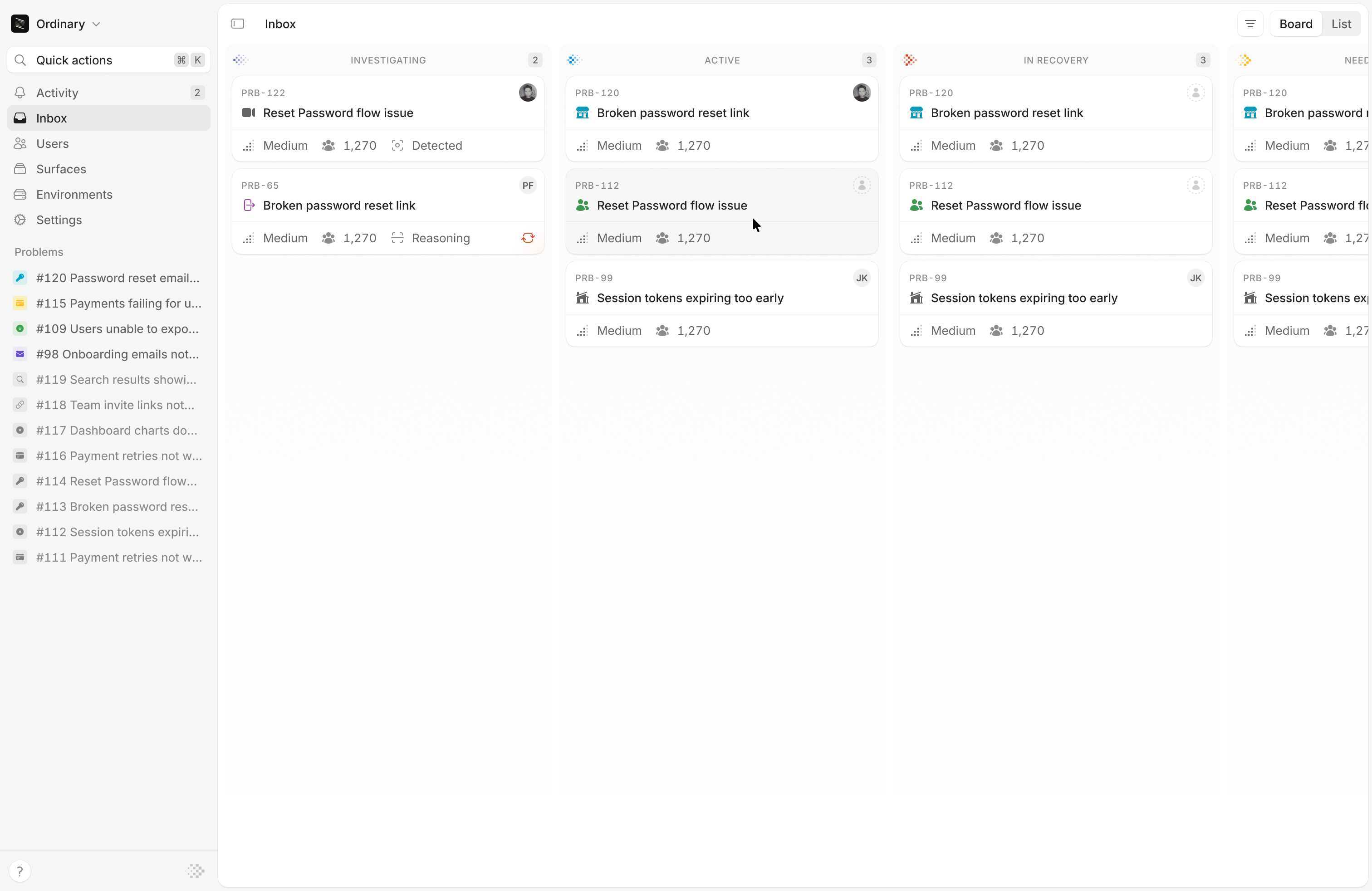
Interfere fills your Inbox for you. You never open a ticket here. Every problem surfaces on its own as Interfere processes your events, already grouped across your users and surfaces and already investigated. Your work starts at triage, not at filing. Because problems are de-duplicated, the Inbox stays a short list of real issues instead of a wall of alerts. Inbox board showing problems grouped by status

Board and list

  • Board. A column per status, so you can see what’s under investigation, what’s active, and what’s resolved at a glance, and move a problem along as it changes.
  • List. A denser, sortable view for scanning and filtering a lot of problems at once.

Statuses

Every problem has a status that tells you where it is and whether it needs you, from “under investigation” while Interfere works out the cause, to “needs attention” when it wants you to confirm a likely regression. See Statuses for the full set and your move on each.

Act in bulk

Select several problems from the list to handle them together. You can assign them, set their priority, or subscribe in one action instead of opening each one.